GameDock Companion · Extension for Chrome
Connect every store without handing over a password.
GameDock Companion is a small Chrome extension. It reads your games, playtime, achievements, wishlists and receipts from the store websites you are already signed in to, so private profiles work and your store sign-ins never leave your browser.
- Free
- Chrome on a computer
- Needed to connect a store
01
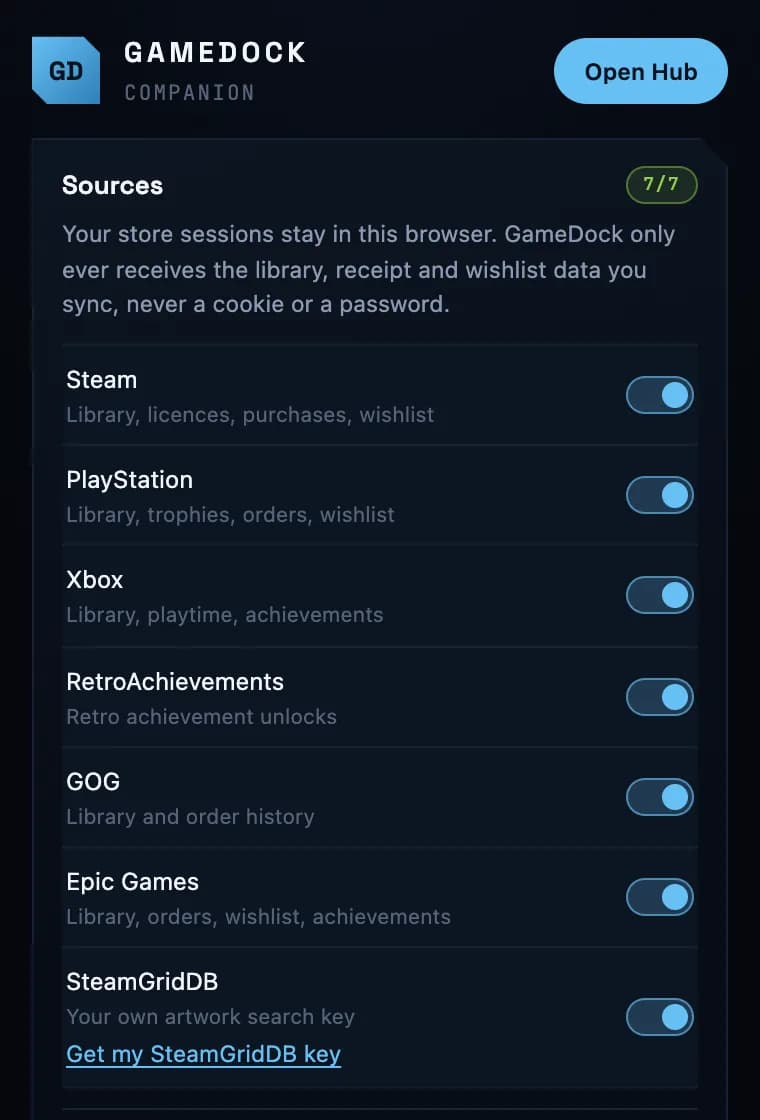
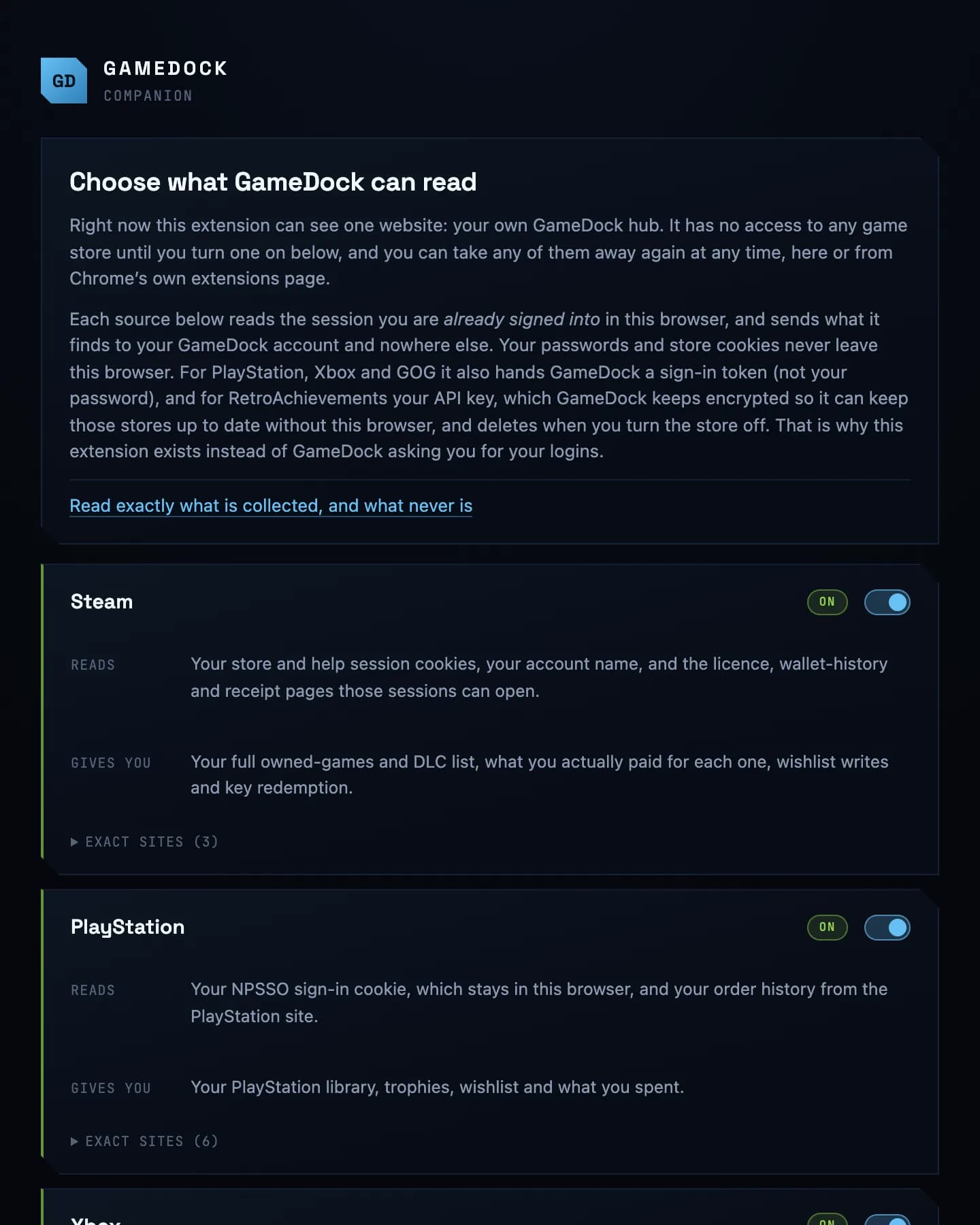
Every store, and exactly what it reads.
Each store is off until you switch it on, and its page says what the Companion reads there and what GameDock gets from it. Switch any of them off again whenever you like.
02
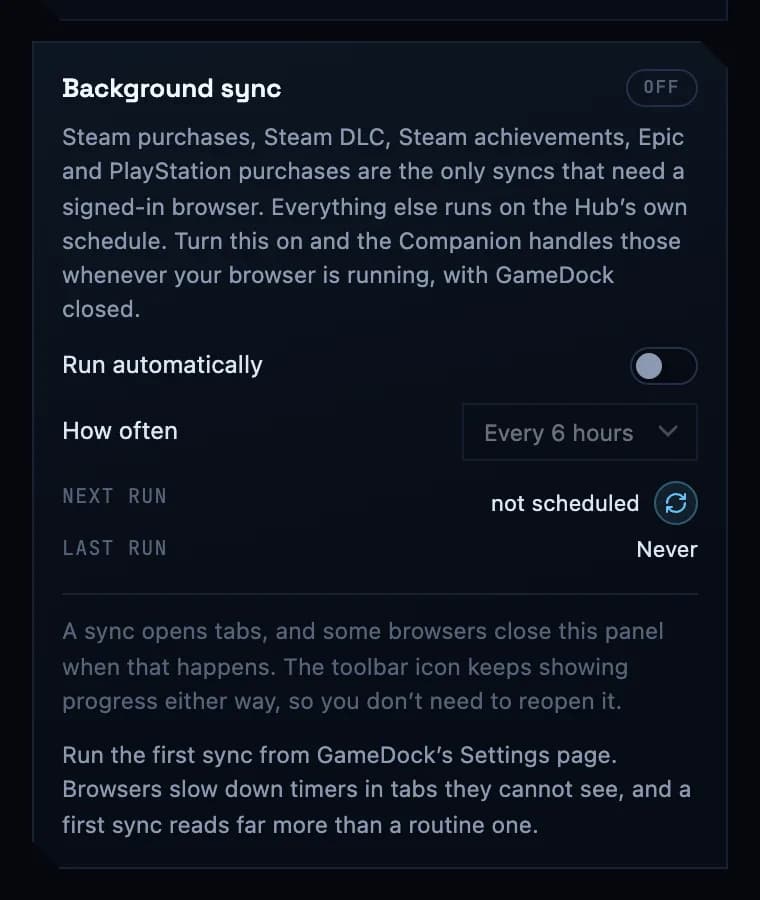
Or let it run on its own.
A few syncs need a signed-in browser: what you paid on Steam and PlayStation, your Steam add-ons and private achievements, and everything from Epic Games. Switch on background sync and the Companion runs them on a timer while Chrome is open.
Everything it does
GameDock Companion, in full.
- Links every store you use
- Steam, PlayStation, Xbox, GOG, Epic Games and RetroAchievements, from the store websites you are already signed in to. Press Refresh connections in GameDock and every store you are signed in to links at once.
- Your sign-ins stay in your browser
- Your store passwords and sign-in cookies never leave your browser. GameDock receives what the Companion reads, and the limited access keys some stores issue for syncing.
- Sees nothing until you say so
- Every store starts switched off. Turn one on and the Companion can read that store's website; turn it off again here or on Chrome's own extensions page, and it stops.
- Background sync, if you want it
- Runs the syncs only a signed-in browser can do on a timer while Chrome is open, so what you paid and your private achievements stay current without a press of Sync.
- Works in other Chrome-based browsers
- Edge, Brave, Opera, Vivaldi, Arc and other browsers built on Chrome can load it too. Chrome keeps it up to date.
- Private Steam profile? Still works
- Steam only shares achievements publicly if your game details are public. GameDock can read them from your own signed-in session instead, or from the Steam app on the PC you play on, so you do not have to change your privacy settings.
- Add to your Steam wishlist from GameDock
- Add a game to your Steam wishlist without leaving GameDock, through your own signed-in browser.
- What you actually paid
- Your Steam receipts, PlayStation order history, and GOG and Epic Games orders, with each purchase matched to the game it bought, and your physical media added in. Spending counts what each store actually charged, and leaves out money added to a wallet. The free plan covers the last twelve months.
- Activate a Steam key from GameDock
- Paste a key, and GameDock activates it on your Steam account, records what you paid, and can start installing it on the PC you play on.
Questions
Worth knowing first.
What is GameDock Companion?
A Chrome extension that connects GameDock to your stores. It reads from the store websites you are already signed in to, and passes GameDock only what it needs to link your account and read your games. Your store passwords and sign-in cookies stay in your browser. Out of the box it can reach nothing but GameDock itself; you switch each store on yourself, and Chrome shows exactly which of that store's websites it will be able to read. Everything it does is set out on the Companion page.
How do I install the Companion?
Add it to Chrome from the Chrome Web Store: in GameDock, open Settings › Sync and press Add GameDock Companion from the Chrome Web Store, then Add to Chrome. It takes a minute, once per computer, and Chrome keeps it up to date from then on.
Does it work in Firefox, Safari or on my phone?
GameDock works in any modern browser, on a computer or a phone. GameDock Companion, which connects your stores, needs Chrome on a desktop or laptop. Browsers built on Chrome, such as Edge, Brave, Opera, Vivaldi, Arc, Dia, Comet and ChatGPT Atlas, can load it the same way, but GameDock is tested in Chrome and Arc. There is no Firefox or Safari version of the Companion yet, and no phone app. A Firefox version is next, and phone apps are being explored: the roadmap has both.
Could connecting a store put my account at risk?
It is possible, and you should know before you connect. Some stores' terms restrict software acting on your account, Steam's most clearly, and a store could in principle limit an account for it. GameDock reads at a modest pace (about once a day, Steam more often on Plus) and the Companion only reads when you press Sync unless you turn on its background sync. The terms set this out in full, and you can disconnect any store at any time.
Start with your account.
It takes a minute, and is free for your whole library. Add GameDock Companion whenever you are ready.