Features · Wishlist and deals
Every wishlist in one list, at each store's own price.
Your Steam, PlayStation, GOG and Epic Games wishlists together, with today's price, the discount, what buying the discounted ones now would save, and an alert when a game reaches the price you would pay.
- Free: 5 price alerts
- Plus: unlimited
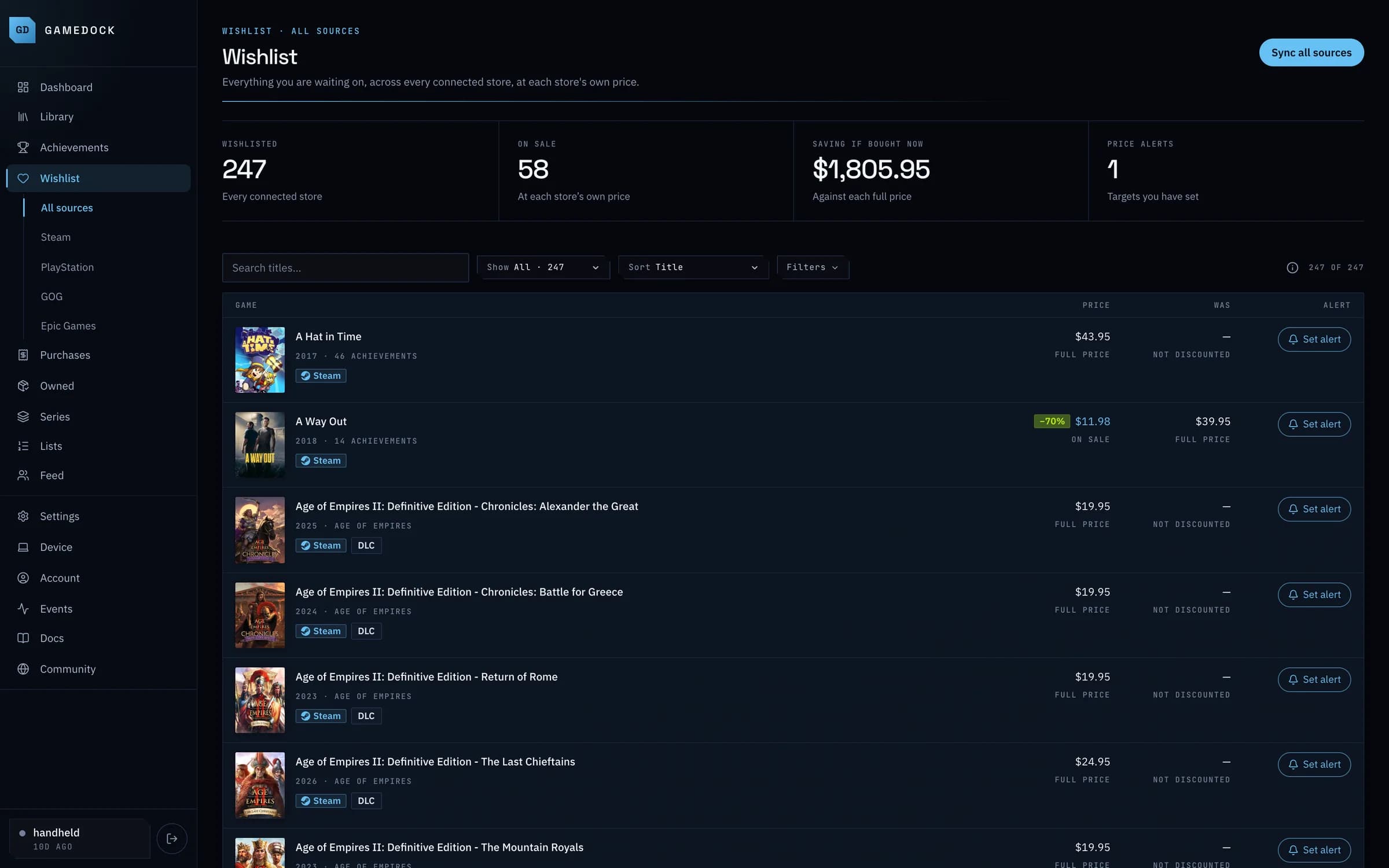
From a real GameDock library
- Wishlisted
- 247
- Every connected store
- On sale
- 58
- At each store's own price
- Saving if bought now
- $1,805.95
- Against each full price
01
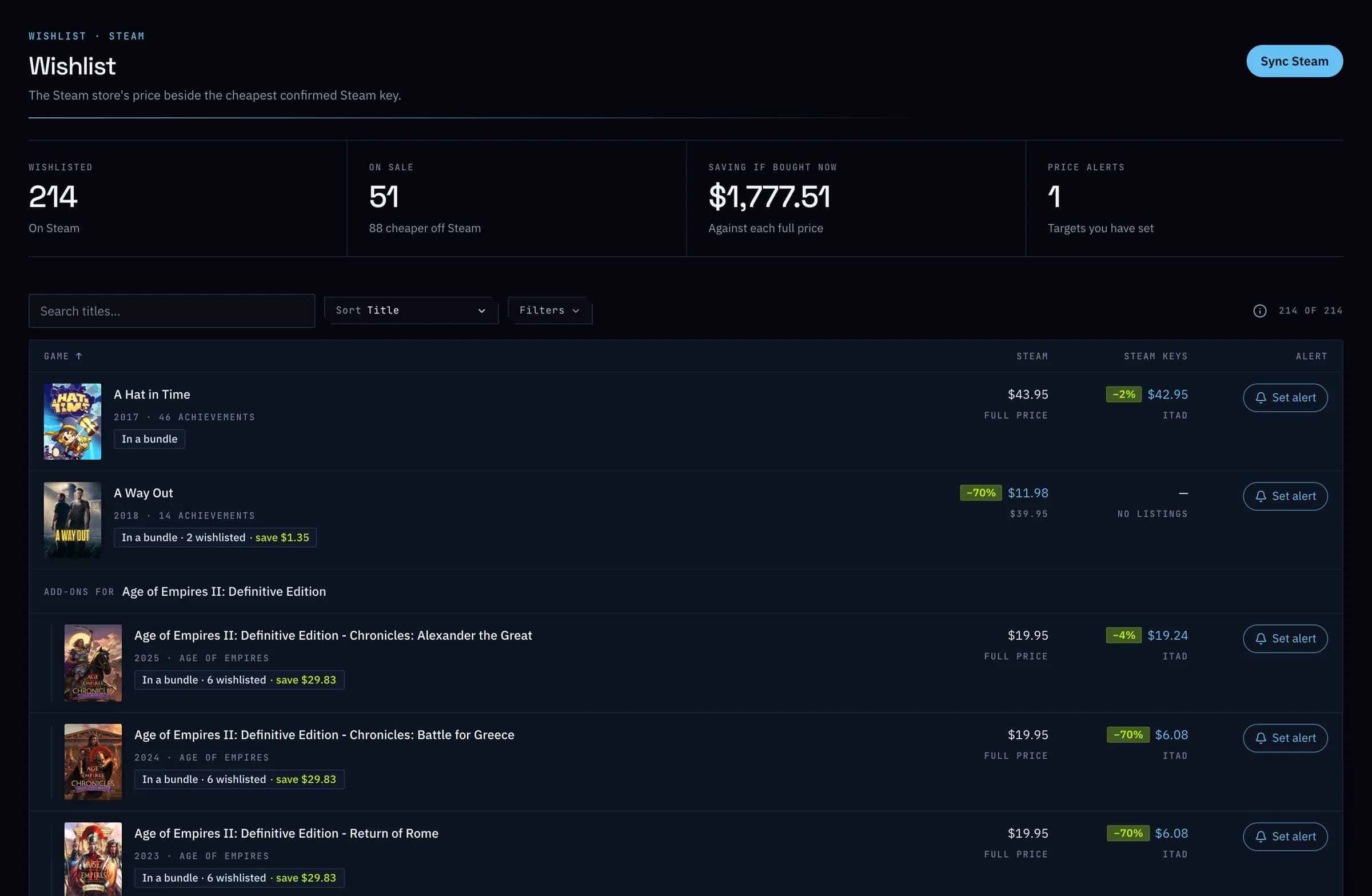
Steam prices beside cheaper keys.
The Steam store price beside the cheapest confirmed Steam key from IsThereAnyDeal, with the cheaper one highlighted. Bundles are priced too, leaving out the games you already own.
02
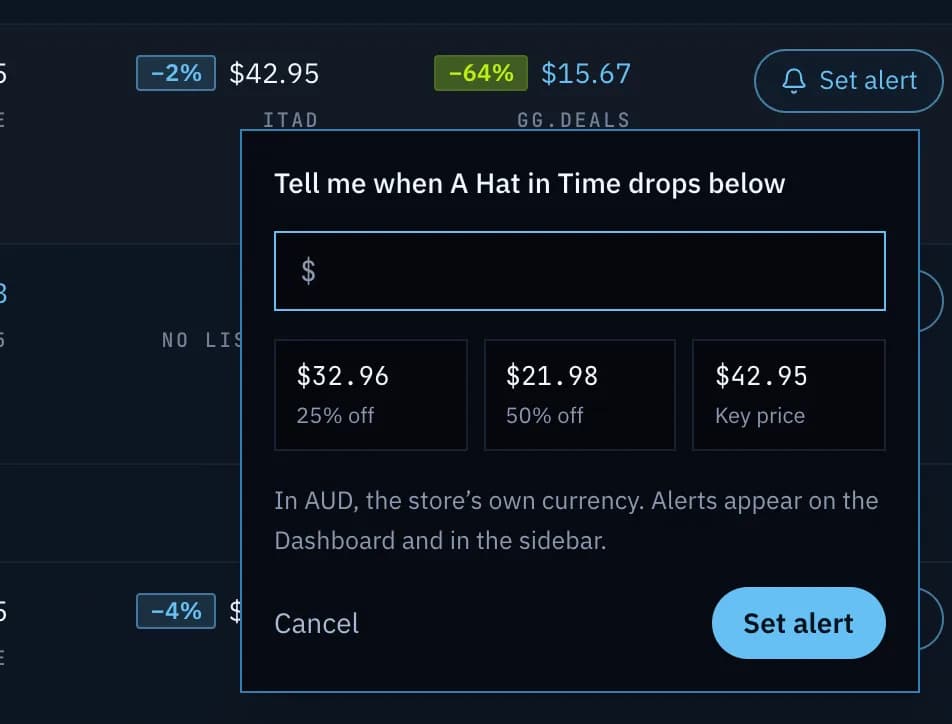
Tell it your price.
Set the price you would pay, and GameDock tells you when a game gets there, on your dashboard and beside Wishlist. It tells you again if the price drops further.
Everything it does
Wishlist and deals, in full.
- Every wishlist, at each store's price
- Your Steam, PlayStation, GOG and Epic Games wishlists in one list, with today's price, the discount and a note of how much buying the discounted ones now would save.
- Steam prices beside cheaper keys
- The Steam store price beside the cheapest confirmed Steam key from IsThereAnyDeal, with the cheaper one highlighted. Bundles are priced too, leaving out the games you already own.
- Price alerts
- Set the price you would pay for a wishlist game, and GameDock tells you when it gets there, on your dashboard and beside Wishlist. It tells you again if the price drops further, and after it goes back up. Five alerts on the free plan.
- Add to your Steam wishlist from GameDockCompanion
- Add a game to your Steam wishlist without leaving GameDock, through your own signed-in browser.
- Companion · Runs through GameDock Companion in your browser each time, not only when you connect a store. About GameDock Companion
How often does my library update?
Steam updates once a day on the free plan and every six hours on Plus. PlayStation, Xbox, GOG and RetroAchievements update once a day on both, and the PC you play on, with GameDock Helper, every six hours. If you have not been in for a week or more, the automatic store syncs slow down, and GameDock catches your library up as soon as you come back. You can press Sync whenever you want the latest, except that on the free plan Steam and store prices can be synced by hand once a day. A few things can only be read from your signed-in browser, such as what you paid on Steam and PlayStation, a private Steam profile's achievements and everything from Epic Games; they update when you press Sync, or on a timer if you turn on the Companion's background sync, which runs every six hours unless you choose anything from hourly to once a day, and only while Chrome is open.
See it with your own library.
Connect a store, and this is filled in from your own games after the first sync.