Features · Your data
Your library, yours to take with you.
Download everything as one file or as spreadsheets, read it from your own scripts with an API key, and delete your account yourself whenever you like.
- Free
01
Your own API key.
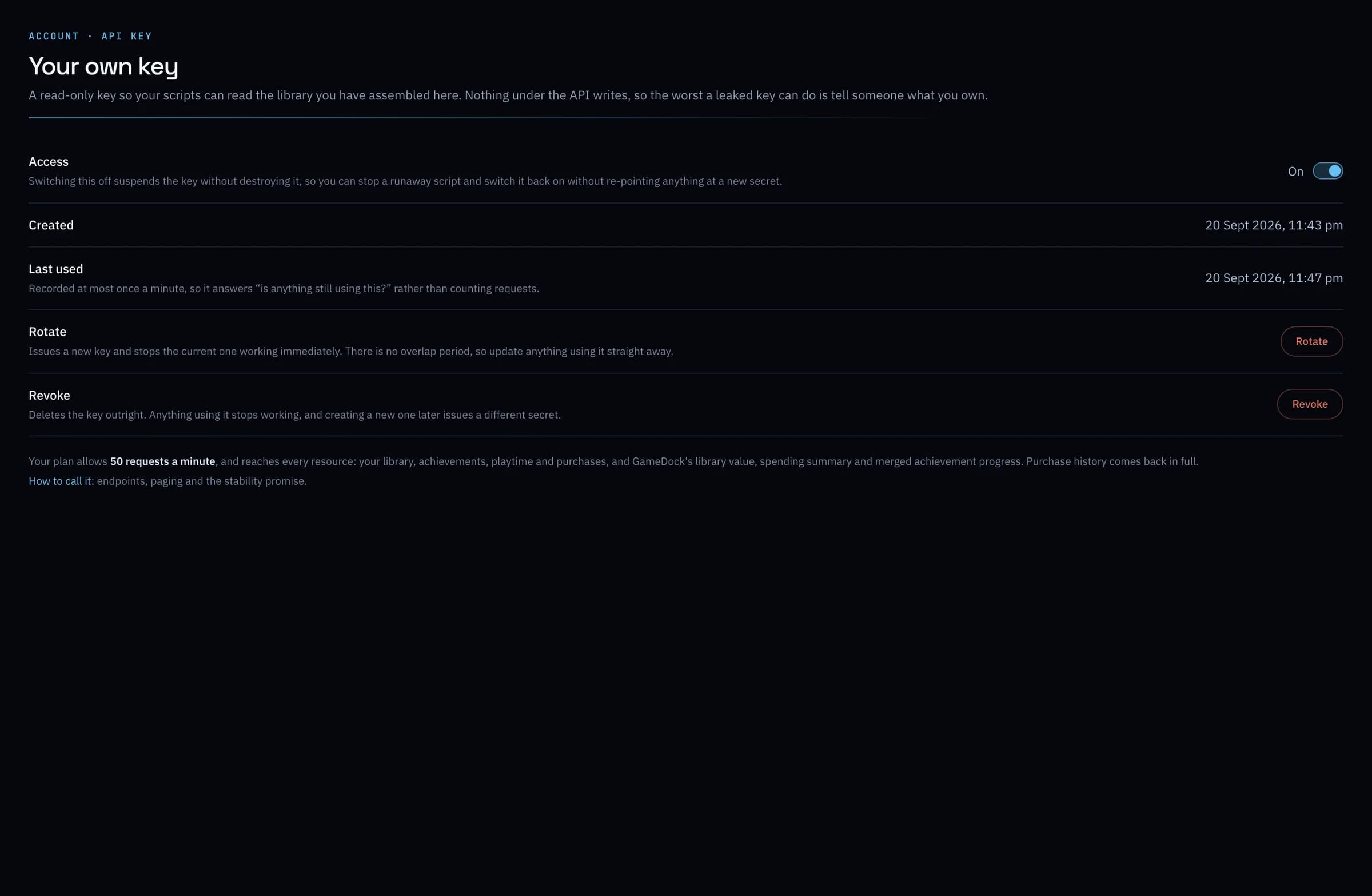
Read your library, achievements, playtime and purchases from your own scripts, a spreadsheet, a Discord bot or a stream overlay. The key can only read, never change anything.
Everything it does
Your data, in full.
- Sign in without a password
- A six-digit code by email, each time. See every browser signed in to your account, and sign any of them out.
- Export everything
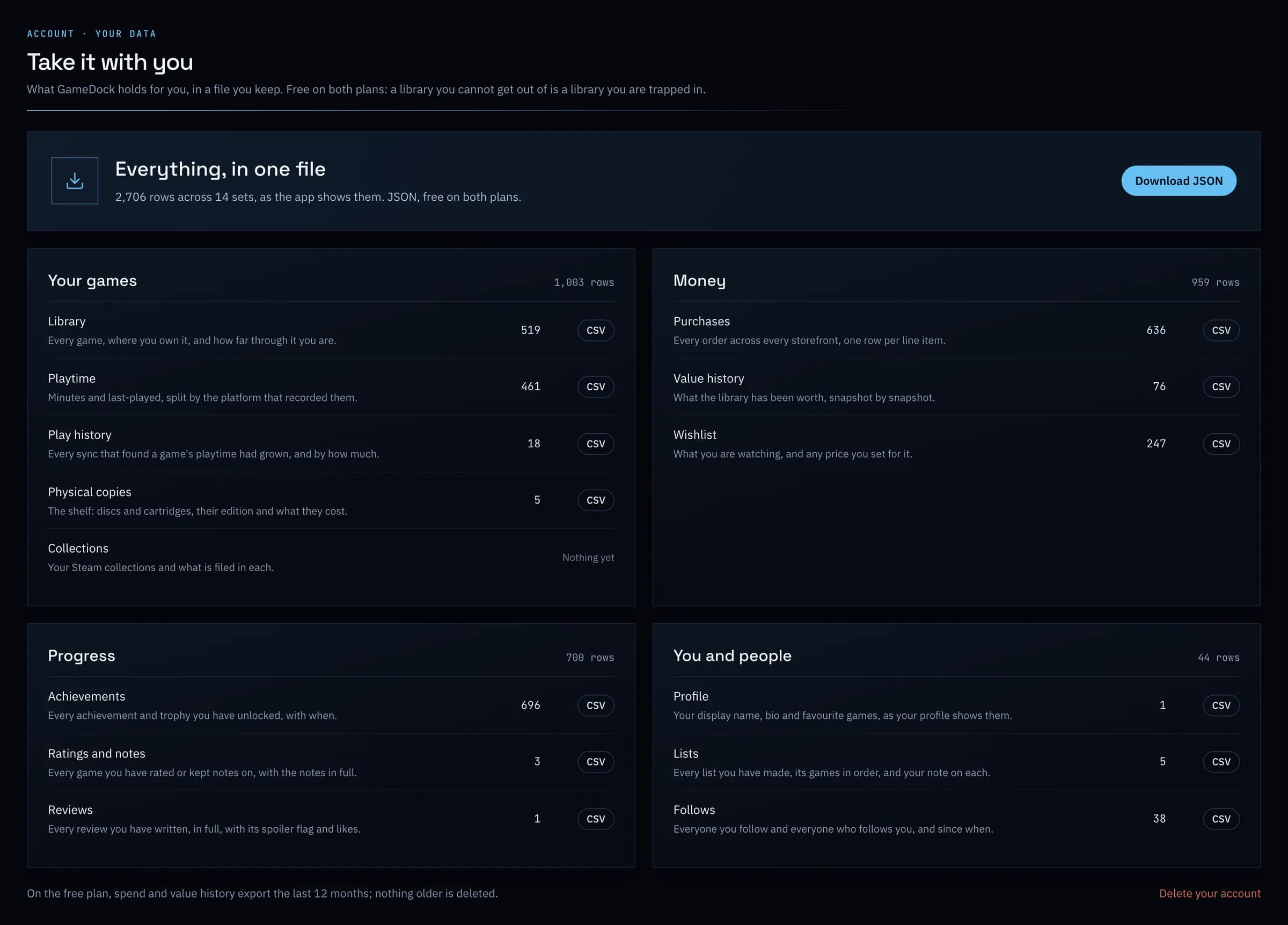
- Download your whole library as one file, or any part of it as a spreadsheet: games, playtime, achievements, lists, purchases, value history, physical media, wishlist and collections. Free on both plans.
- Your own API key
- Read your library, achievements, playtime and purchases from your own scripts, a spreadsheet, a Discord bot or a stream overlay, on either plan. The key can only read, never change anything. Plus adds GameDock's library value, spending summary and merged achievement progress, and a higher rate limit.
- Disconnect a store whenever you like
- Stop GameDock reading a store in one click, and choose whether to keep or erase what it added. Nothing from your other stores is touched.
- Leave whenever you like
- Delete your account yourself, immediately, with everything in it. A Plus subscription is cancelled in the same step.
- The whole guide, free to read
- Step-by-step instructions for everything GameDock does, inside GameDock and as a PDF you can download.
Can I get my data back out?
Yes, on both plans. Account › Your data downloads everything as one file, or each part as a spreadsheet: your library, playtime, play history, ratings and notes, reviews, lists, profile, follows, achievements, purchases, value history, physical media, wishlist and collections. On the free plan, purchases and value history cover the last 12 months, the same as the app shows.
Is there an API?
Yes, a read-only one, on both plans. Create a key under Account › API key and read your own library, achievements, playtime and purchases as JSON: enough for a spreadsheet, a Discord bot or a stream overlay. Because nothing in it can change anything, a lost key can only show someone your own data, and you can revoke it in a click. Plus adds GameDock's own figures (your library's value, a spending summary and achievement progress merged across platforms) with a higher rate limit and your full purchase history rather than the last 12 months. The full reference is in GameDock's guide.
Can I delete my account?
Yes, from Account › Delete account, whenever you like. It happens straight away and cannot be undone, so export anything you want to keep first. Everything that is yours goes, including your email address and username, and a Plus subscription is cancelled straight away, without a refund for the rest of a period already paid for. What stays is GameDock's shared catalogue of games, which describes games rather than people, and, only if you ever paid for Plus, the billing record the law requires.
What does GameDock store?
Your library, playtime and achievements, your ratings, reviews, notes and lists, what you paid, and the limited access keys PlayStation, Xbox and GOG issue for reading your account, along with your RetroAchievements key and, if you add one, your SteamGridDB key. The keys are encrypted. GameDock never stores your store passwords, your Steam and Steam Help sign-ins, or your PlayStation sign-in cookie: those stay in your browser, and the Companion uses them there. Epic Games is read through your browser each time, so GameDock holds nothing for it.
See it with your own library.
Connect a store, and this is filled in from your own games after the first sync.