Features · Insights
How your month went, across every store.
Insights sets your playtime, unlocks, spending, new games and wishlist for any week, month, quarter or year against the one before, and picks out the facts that stood out. This week is free on every plan.
- Free: this week
- Plus: every period
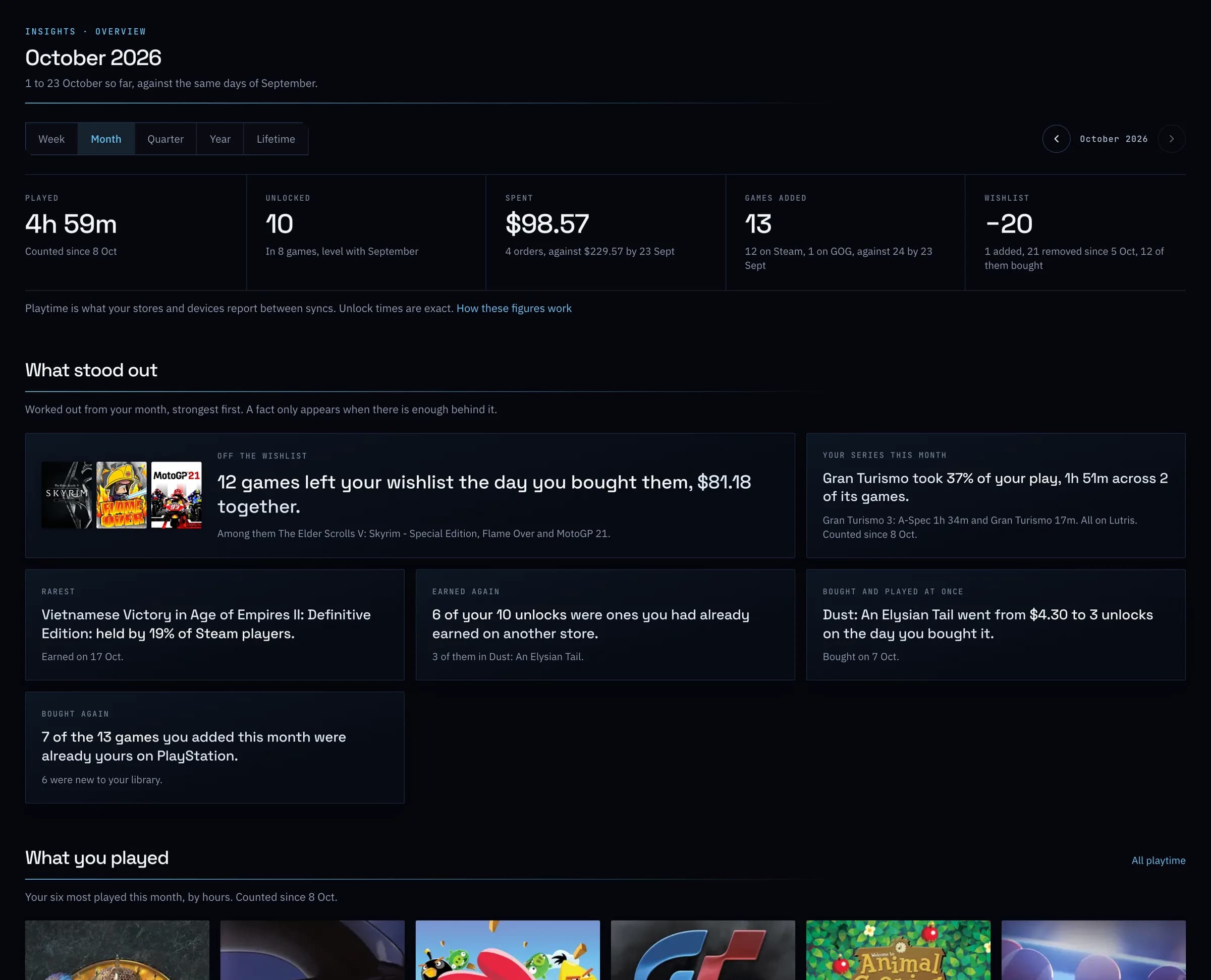
01
A page for each part of it.
Playtime, Unlocks, Spending, Library and Wishlist each open for the same period: when you played and unlocked, the hours of the week your unlocks come, what you spent and what it bought, the games you added and what left your wishlist.
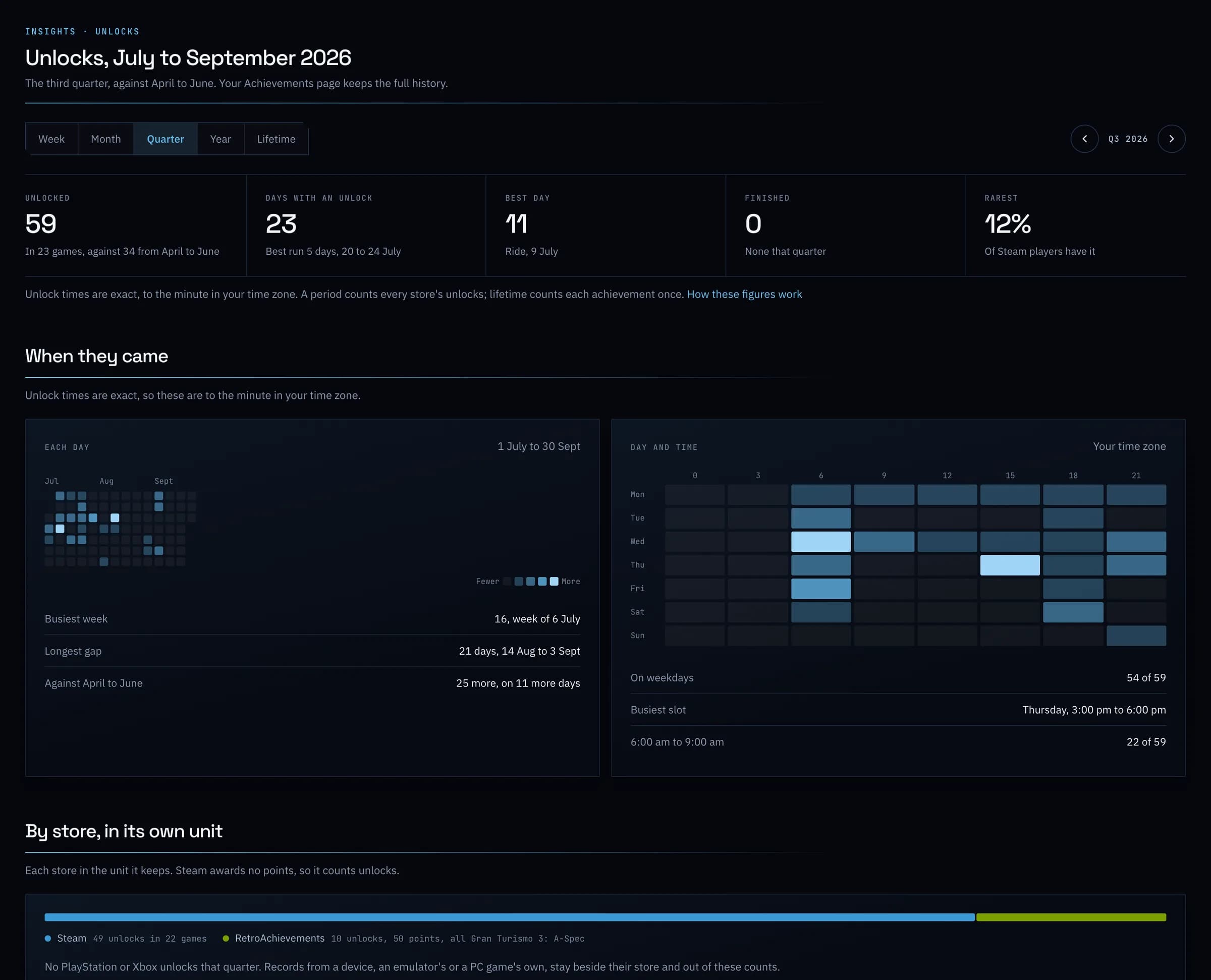
02
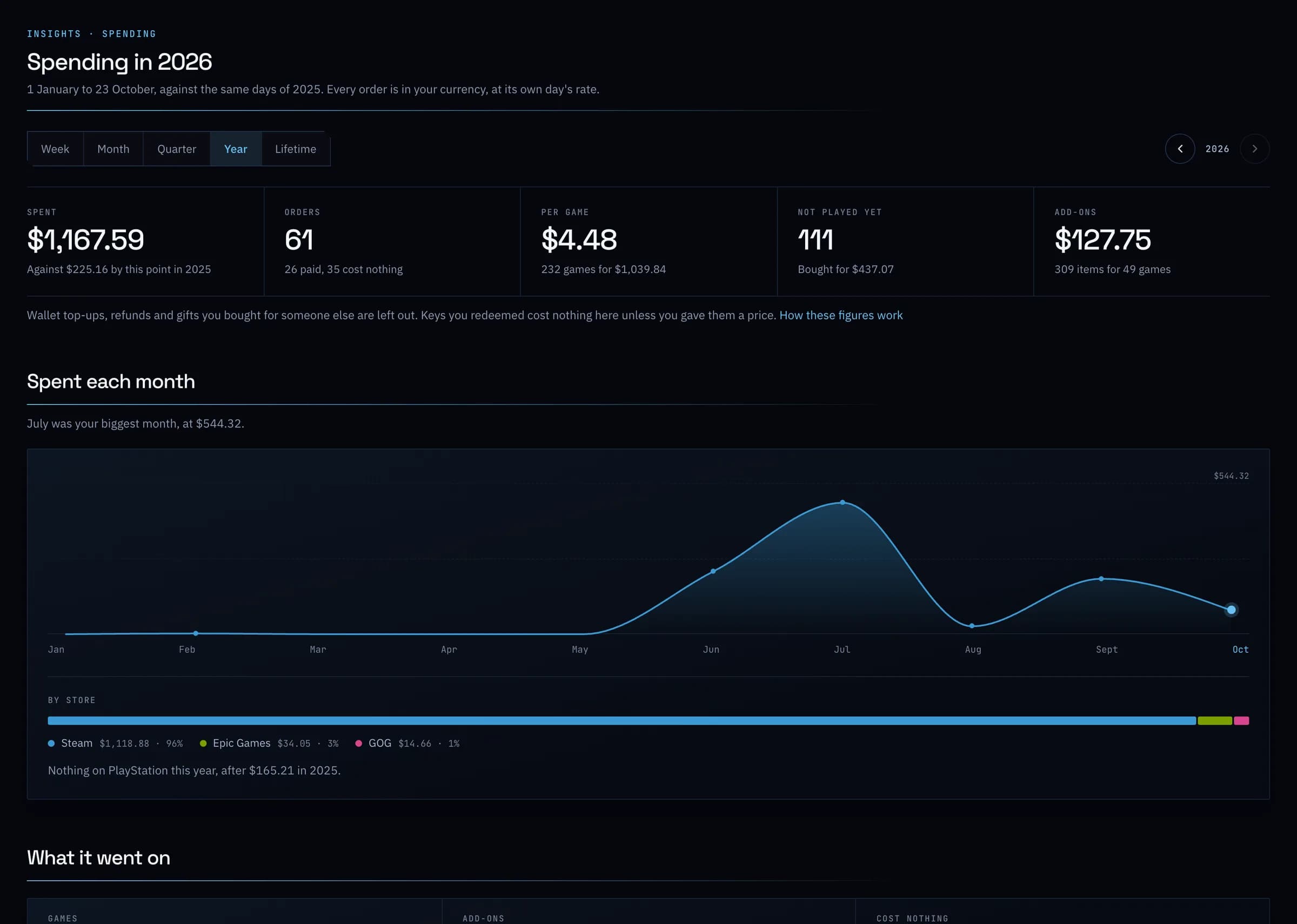
What it cost, by the hour.
Spending for any month or year against the one before, by store and by kind, with your biggest buys and what each cost for every hour you have played it.
Everything it does
Insights, in full.
- This week, free
- Every account sees the current week in full: time played, unlocks, spending, games added and the wishlist against last week, the fact that stood out most, and what you played.
- Any week, month, quarter or yearPlus
- Step back a period at a time, or see your whole history at once, each period set against the one before. On the free plan an earlier period still shows its five figures, with the rest held back.
- What stood outPlus
- Your best day for unlocks, the game that took most of your play, your rarest unlock, games bought and played the same day. Each one appears only when there is enough behind it, worked out by fixed rules from your own records.
- A page for each topicPlus
- Playtime, Unlocks, Spending, Library and Wishlist, each charted by day, week, month or year for the period you choose.
- Honest about what it knows
- Stores date unlocks and orders back for years, but not the hours you played. GameDock counts play from the day it began recording and says so, rather than showing a zero as if it were a fact.
- On your dashboard
- This week's strongest fact in the This week panel, and in the first days of each month a card that opens the month just ended.
- A monthly email
- On the 1st, the month just ended in your inbox: the whole month on Plus, and its figures and best highlight on the free plan. Turn it off in your notification settings, or from the email itself without signing in.
- Year in Games
- Any year as one card: the hours you played, your unlocks, the games new to you, your longest run of days and your game of the year, to download or share by link, with a page on your public profile that shows only what your privacy settings allow. What you spent is never on it. Free on every plan.
- Plus · Part of GameDock Plus. Everything without this note is on the free plan.
What is Insights?
Insights shows how a week, month, quarter or year went across everything GameDock reads for you: how long you played, what you unlocked, what you spent, which games you added and how your wishlist changed, each set against the period before, with the facts that stood out, such as your best day for unlocks or what a game cost per hour you played it. Each topic has a page of its own. The facts are worked out by fixed rules from your own records, and a figure GameDock cannot know, like hours played before it began recording them, is said rather than shown as a zero. Year in Games turns any year into a card to share.
How much of Insights is on the free plan?
The current week, in full: its figures against last week, the fact that stood out most and what you played, plus that fact on your dashboard, the monthly email and a Year in Games card for each year. Earlier weeks, months, quarters, years, your whole history and the page for each topic are part of GameDock Plus. On the free plan they still open with their real headline figures, and the facts that stood out are listed with what they found held back, so you can see what Plus would show you before you decide.
What is the monthly email, and how do I turn it off?
On the 1st of each month GameDock emails you the month just ended, on every plan: on GameDock Plus the whole month from Insights, and on the free plan its figures and its best highlight, with the others named. Switch it off under Account › Notifications, or follow Turn it off at the foot of any of these emails, which works without signing in.
See it with your own library.
Connect a store, and this is filled in from your own games after the first sync.