Features · Achievements
Every trophy and achievement, counted once.
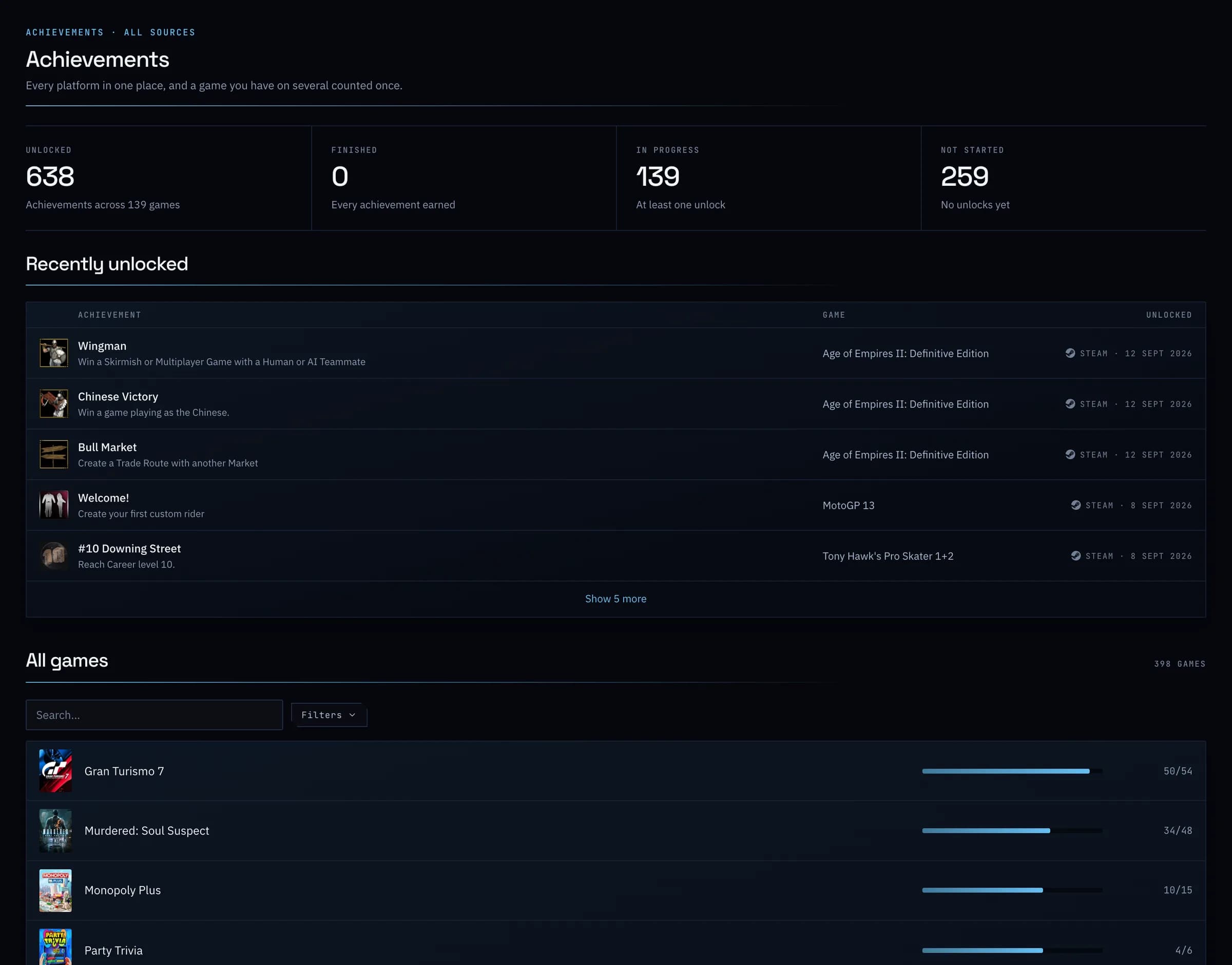
PlayStation trophies, Steam and Xbox achievements, Epic Games, RetroAchievements and standalone PC games, in one place. A game you own on several platforms counts each achievement once, and as earned if you unlocked it anywhere.
- Free
01
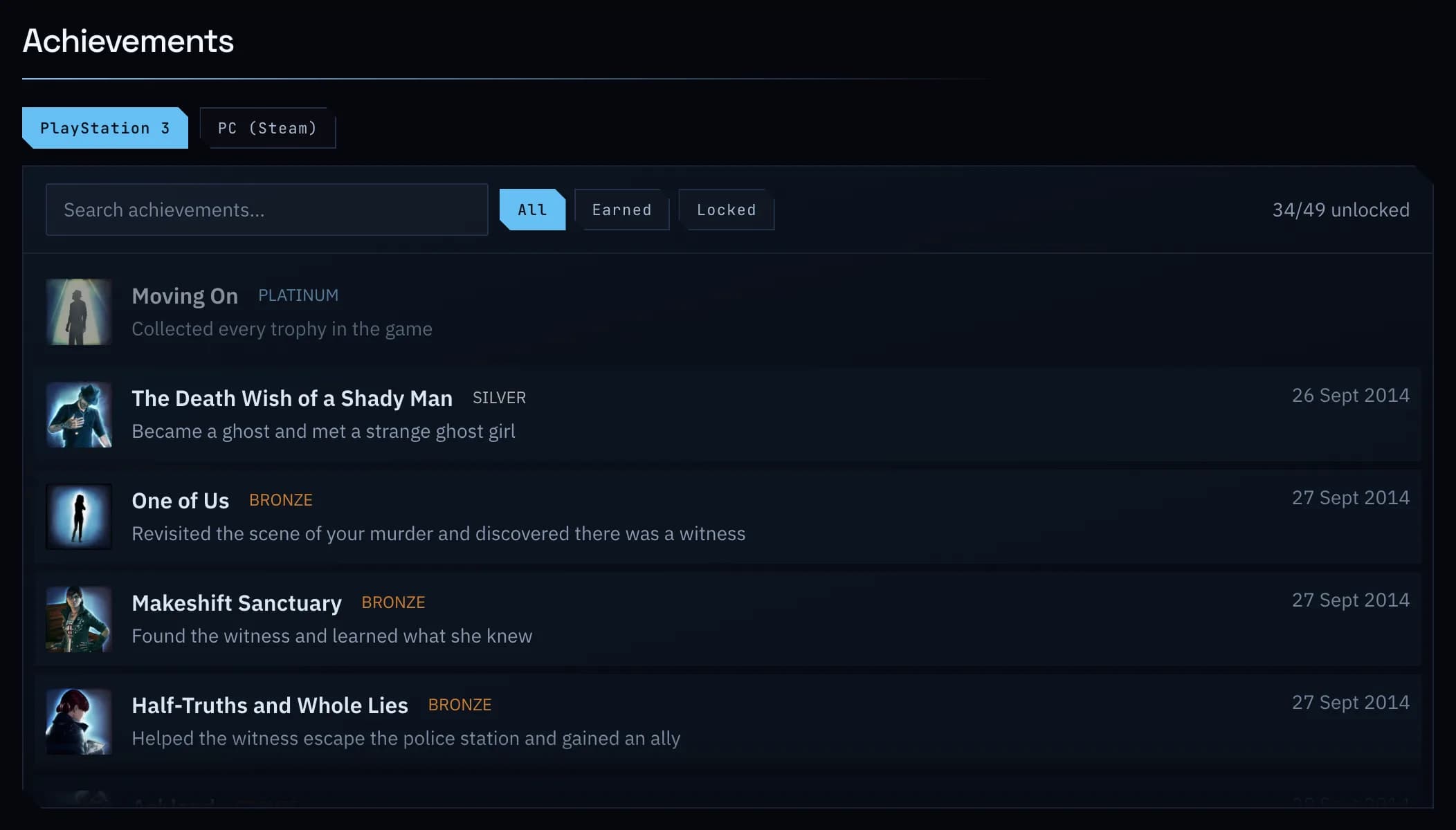
Each platform's list, on the game's page.
Every trophy and achievement a game has, platform by platform, with what you earned and when.
02
Private profiles still work.
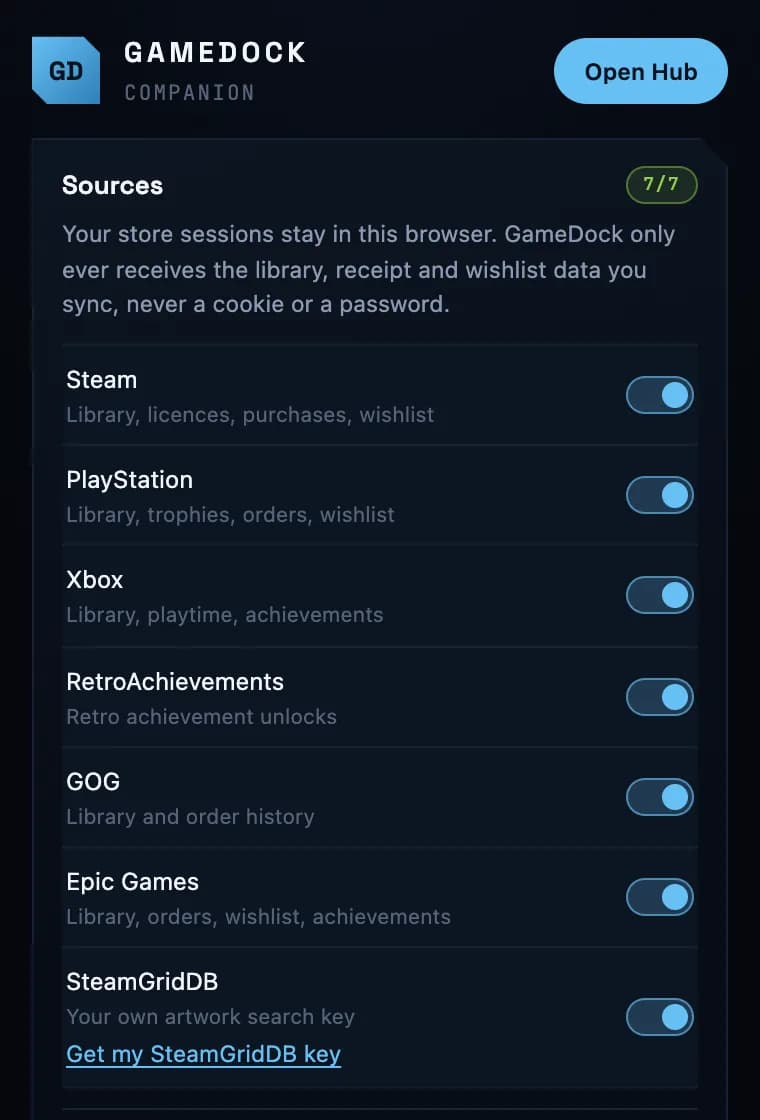
Steam only shares achievements publicly when your game details are public. GameDock Companion reads them from your own signed-in browser instead, so you do not have to change your privacy settings.
Everything it does
Achievements, in full.
- Every platform's achievements together
- Steam achievements, PlayStation trophies, Xbox achievements (360 included), Epic Games, RetroAchievements, and achievements from standalone PC games. A game you own on several platforms counts each achievement once, and as earned if you unlocked it anywhere.
- Private Steam profile? Still worksCompanion
- Steam only shares achievements publicly if your game details are public. GameDock can read them from your own signed-in session instead, or from the Steam app on the PC you play on, so you do not have to change your privacy settings.
- Achievements from standalone PC gamesHelper
- PC games installed outside a store launcher do not record Steam achievements. When a game keeps its achievements in a file on your PC instead, GameDock Helper reads it and counts them with the rest.
- A dashboard for what to play next
- What you have been playing, and what to play next with the reasons for each pick: something new and well reviewed, a quick win a few hours or achievements from done, or a game you put down. Wishlist games on sale, your week's playtime and new achievements, and what changed since you last looked.
- A record of what changed
- Every game added, achievement unlocked, hour played, price change and sync, newest first, filtered by kind. The free plan shows the last 48 hours; Plus keeps all of it.
- A daily email, if you want onePlus
- Each morning in your own timezone: the games you added, the time you played and the achievements you earned since the last one.
- Companion · Runs through GameDock Companion in your browser each time, not only when you connect a store. About GameDock Companion
- Helper · Needs GameDock Helper on the PC you play on, which runs on Linux today. About GameDock Helper
- Plus · Part of GameDock Plus. Everything without this note is on the free plan.
How are achievements counted for a game I own on more than one platform?
Merged. When two platforms have the same game's achievements, each one counts once, and it counts as earned if you unlocked it on either. Small differences in how two stores word or spell an achievement do not split it in two. Extras only one platform has are added on, and PlayStation's platinum trophy is left out when the rest of its list matches another platform's. Only lists with nothing in common are added together.
Do my store profiles need to be public?
No. GameDock reads through your own signed-in browser, so it sees your games the way you do, whatever your privacy settings. The one place a public setting helps is Steam achievements: with a public profile they update on their own with the rest of your Steam library (daily, or every six hours on Plus), and with a private one they update when you press Sync, or through the Companion's background sync.
Are there leaderboards?
Yes, on both plans. Compare achievements, 100% games and games finished with the people you follow, and appear on the board for everyone if you turn it on in Account › Privacy, share your profile and achievements with everyone, and have a confirmed email address, a username and an account at least a week old. Only what Steam, PlayStation, Xbox and RetroAchievements recorded counts, never achievements read from files on your device, and never playtime.
See it with your own library.
Connect a store, and this is filled in from your own games after the first sync.