Features · On your device
What's on the machine you play on.
GameDock Helper shows GameDock what is actually installed, from every launcher and emulator, how full each drive is, and backs up your saves after every session. It runs on Linux today, on a desktop, laptop or handheld. Windows is next on the roadmap, then macOS.
- Needs GameDock Helper
- Linux today
01
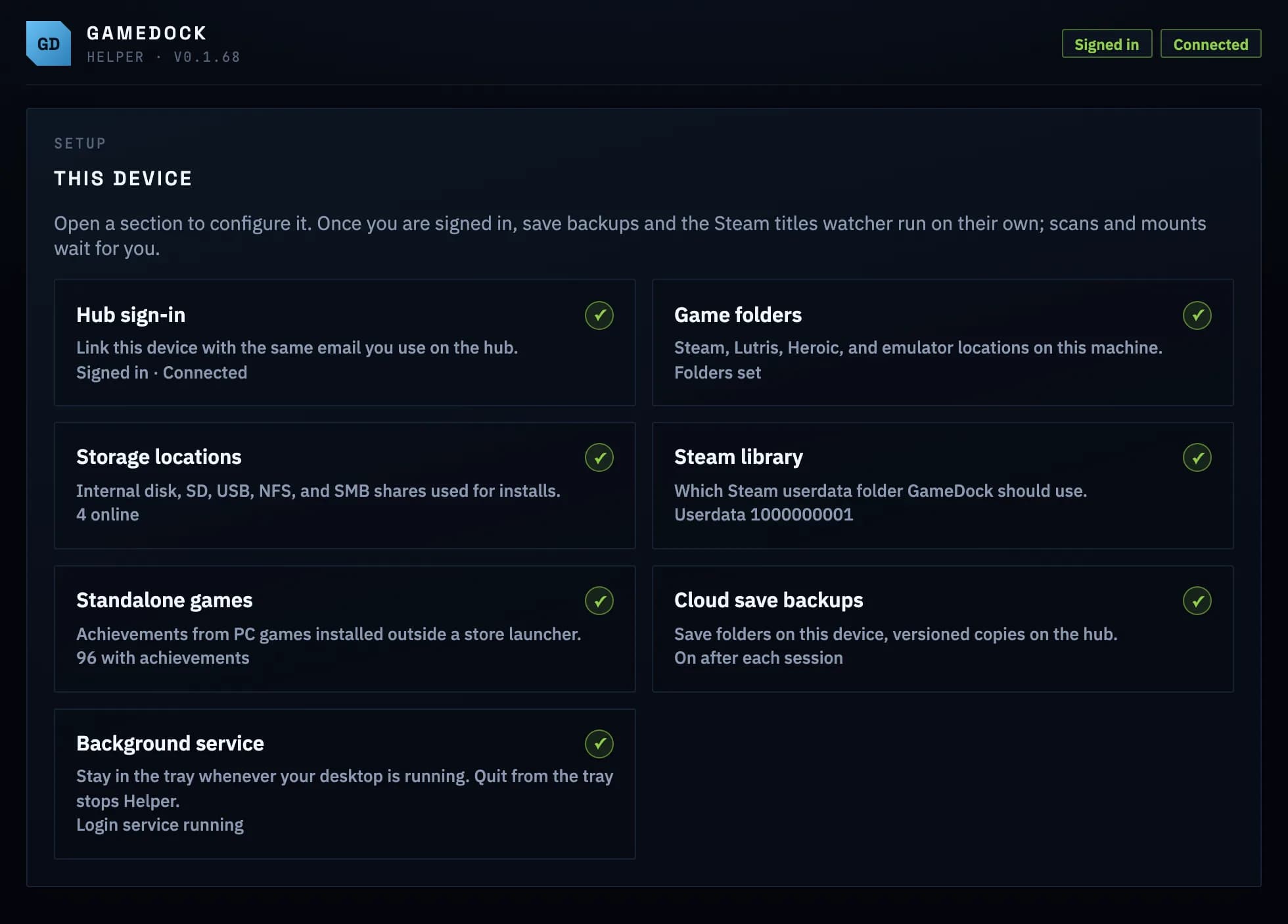
Set it up once, then it runs itself.
Sign in, choose the folders and drives GameDock Helper may look at, and it keeps your installs, your drives and your save backups current on its own, from the tray. Saves are copied after each play session, with earlier versions kept so a broken save can be undone.
Everything it does
On your device, in full.
- Everything installed, from every launcherHelper
- Steam, Lutris and Heroic games, and games in emulators such as RPCS3, PCSX2, DuckStation, Dolphin, melonDS, Xenia, Cemu, PPSSPP and the Switch emulators, even those you launch through Steam ROM Manager or EmuDeck.
- Save backups with historyHelper
- Your saves from standalone PC games, Steam games and emulators, backed up to GameDock after each play session, with earlier versions kept so a broken save can be undone. Three versions of each game on the free plan, ten on Plus.
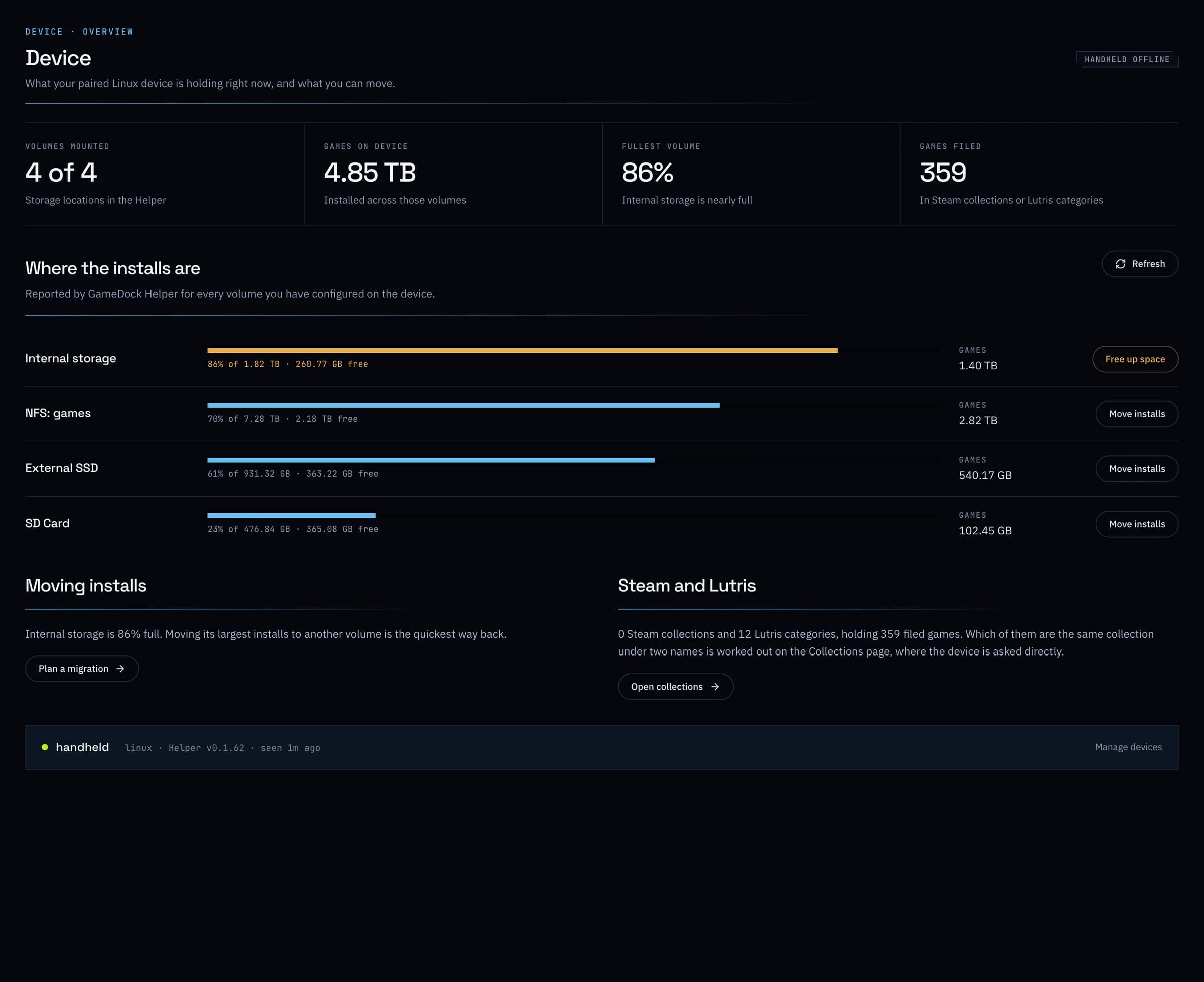
- How full each drive isHelper
- Every drive, SD card and network share you choose, with how much is games and how much is free.
- Install from anywhereHelper
- Press Install on a game's page, and Steam on your PC starts the download, whichever device you are browsing on.
- Move games between drivesHelperPlus
- Pick the games, pick the drive, and GameDock moves them, with Lutris updated to find them in their new place.
- Tidy up SteamHelperPlus
- Give every game in Steam the name and cover GameDock shows, sort them by series, add Heroic, Lutris and emulator games to Steam, and keep Steam collections and Lutris categories the same.
- Helper · Needs GameDock Helper on the PC you play on, which runs on Linux today. About GameDock Helper
- Plus · Part of GameDock Plus. Everything without this note is on the free plan.
What is GameDock Helper, and do I need it?
Only if you want GameDock to see the machine you play on. GameDock Helper is a small app for a desktop, laptop or handheld that lets GameDock see what is installed, how much room each drive has, and your games from Lutris, Heroic and emulators. It backs up your saves after you play, and on Plus it can move games between drives and write your names and artwork to Steam. It runs on Linux today; Windows is next on the roadmap, then macOS. Everything else in GameDock works without it.
Is there a Windows or Mac version of GameDock Helper?
Not yet. A Windows version is next on the roadmap, with a Mac version planned after it. The rest of GameDock already works whatever computer you use, since your stores connect through Chrome. Until then, Playnite does this well on Windows and is free.
Does it work on a Steam Deck?
Yes. Install the Flatpak in Desktop Mode, sign in, and set it to start with your desktop. It keeps running when you switch back to Game Mode, so GameDock sees your Deck's games, SD card and saves, and backs the saves up after you play. The same goes for other Linux handhelds.
See it with your own library.
Connect a store, and this is filled in from your own games after the first sync.