Features · Physical media
Your shelf, in your library.
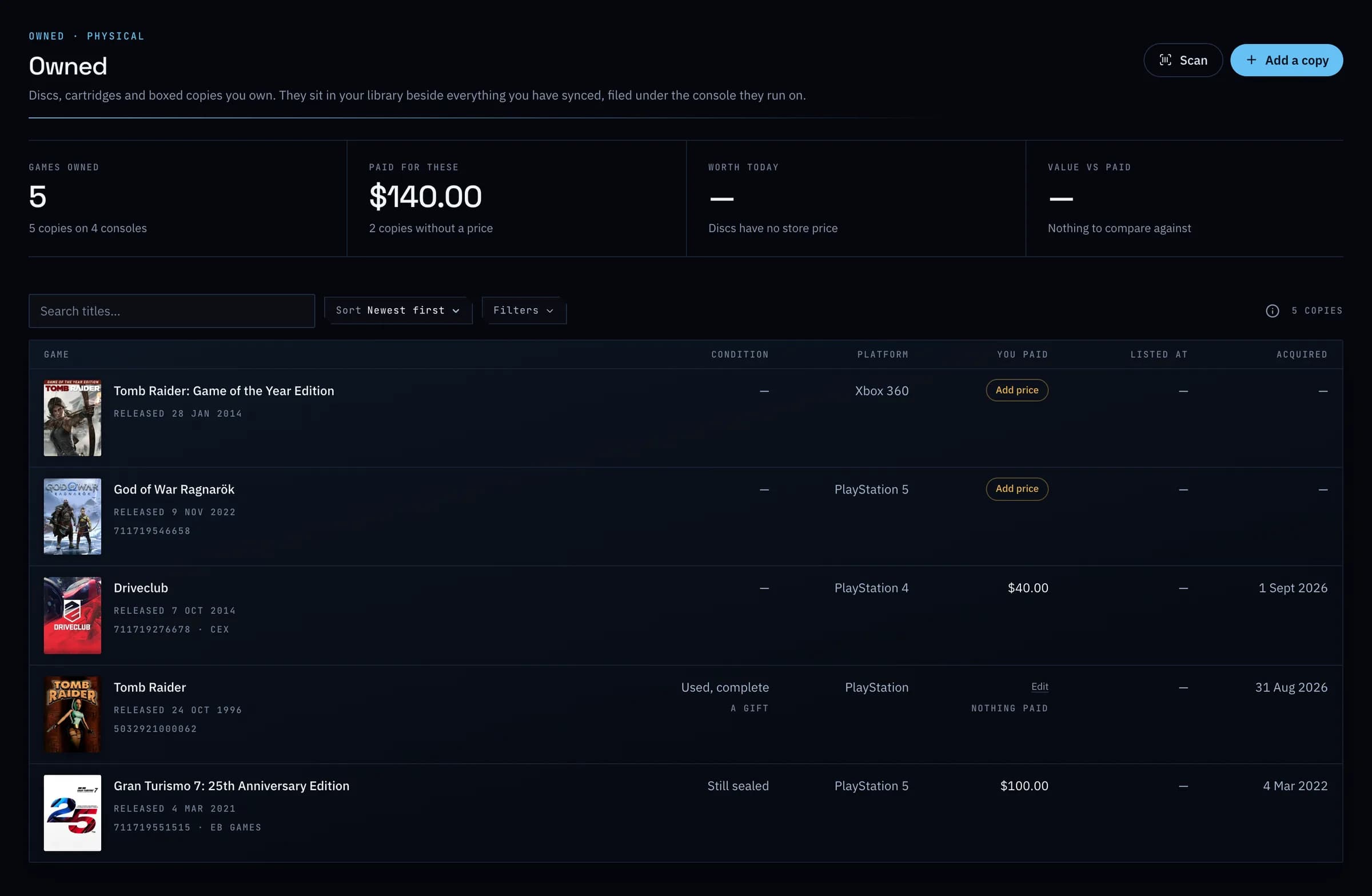
Add the discs, cartridges and boxed copies you own by scanning a barcode with your phone's camera, or by searching. Each sits beside your digital games, filed under the console it runs on.
- Free: 50 copies
- Plus: unlimited
01
Scan it, check it, add it.
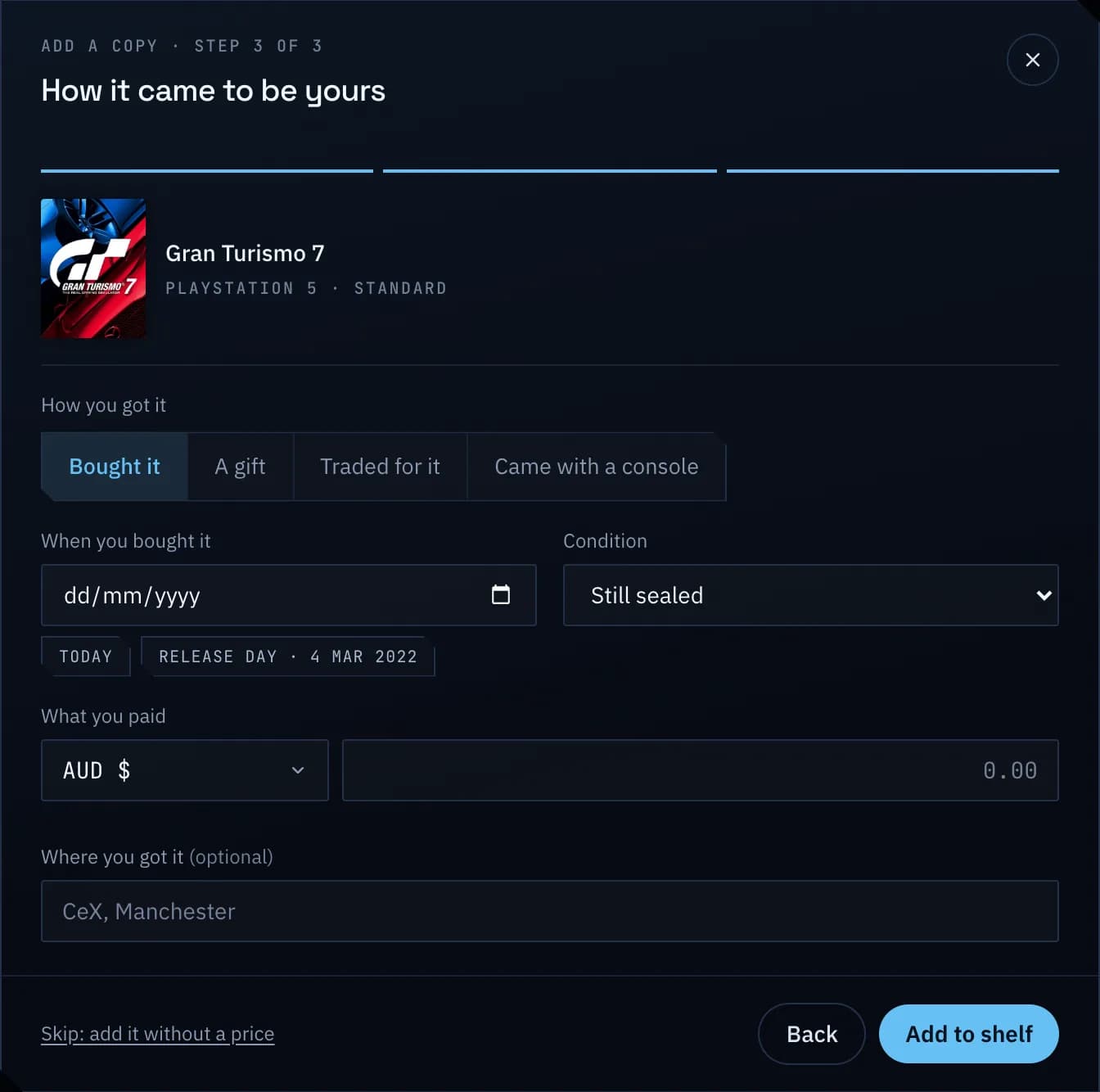
GameDock finds the edition from its barcode or its name. Add the condition, how you got it and what you paid, and it counts in your spending beside your store purchases.
Everything it does
Physical media, in full.
- Scan or search
- Scan a game's barcode with your phone's camera, or search for it, and add the edition, the console, its condition and what you paid. It sits in your library beside your digital games.
- Counted with everything else
- What you paid for a copy goes into your spending, and the game sits in your library and its series like any other.
- Fifty free, no limit on PlusPlus
- The free plan holds fifty copies. GameDock Plus holds as many as you own.
- Plus · Part of GameDock Plus. Everything without this note is on the free plan.
Can I add games on disc or cartridge?
Yes, for any console or computer. Type the disc code, the barcode or the title, or scan the barcode with your phone's camera, then add the edition, the console and what you paid. The copy sits in your library beside your digital games and counts toward what you have spent. The free plan holds 50 physical copies, and Plus has no limit. Games you own digitally cannot be added by hand yet; those come from a connected store. Adding any game by hand is next on the roadmap.
See it with your own library.
Connect a store, and this is filled in from your own games after the first sync.