Features · Library
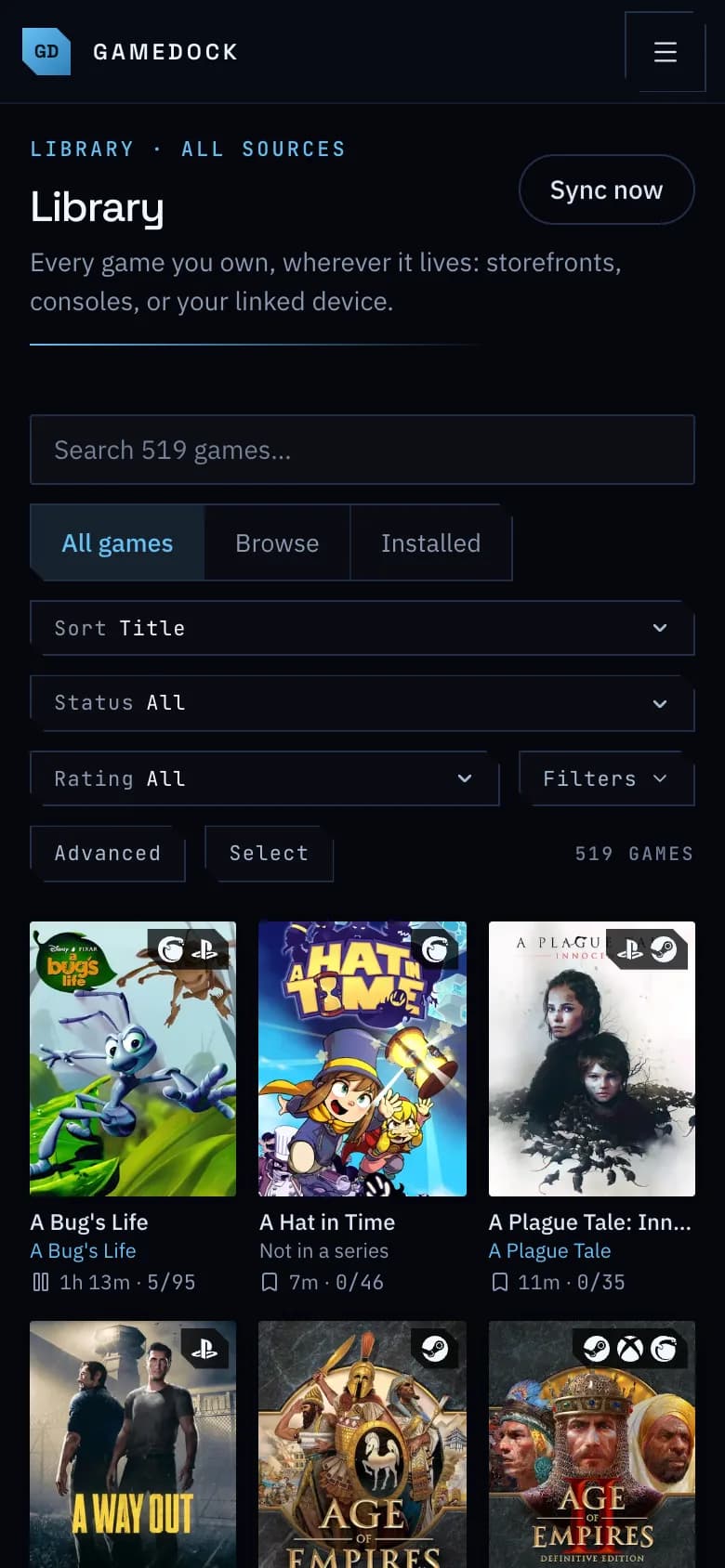
Every game you own, from every store, in one grid.
Steam, PlayStation, Xbox, GOG and Epic Games, the games your emulators and launchers know about, and the discs on your shelf. Search it, filter it, and see each game once, however many places you own it.
- Free
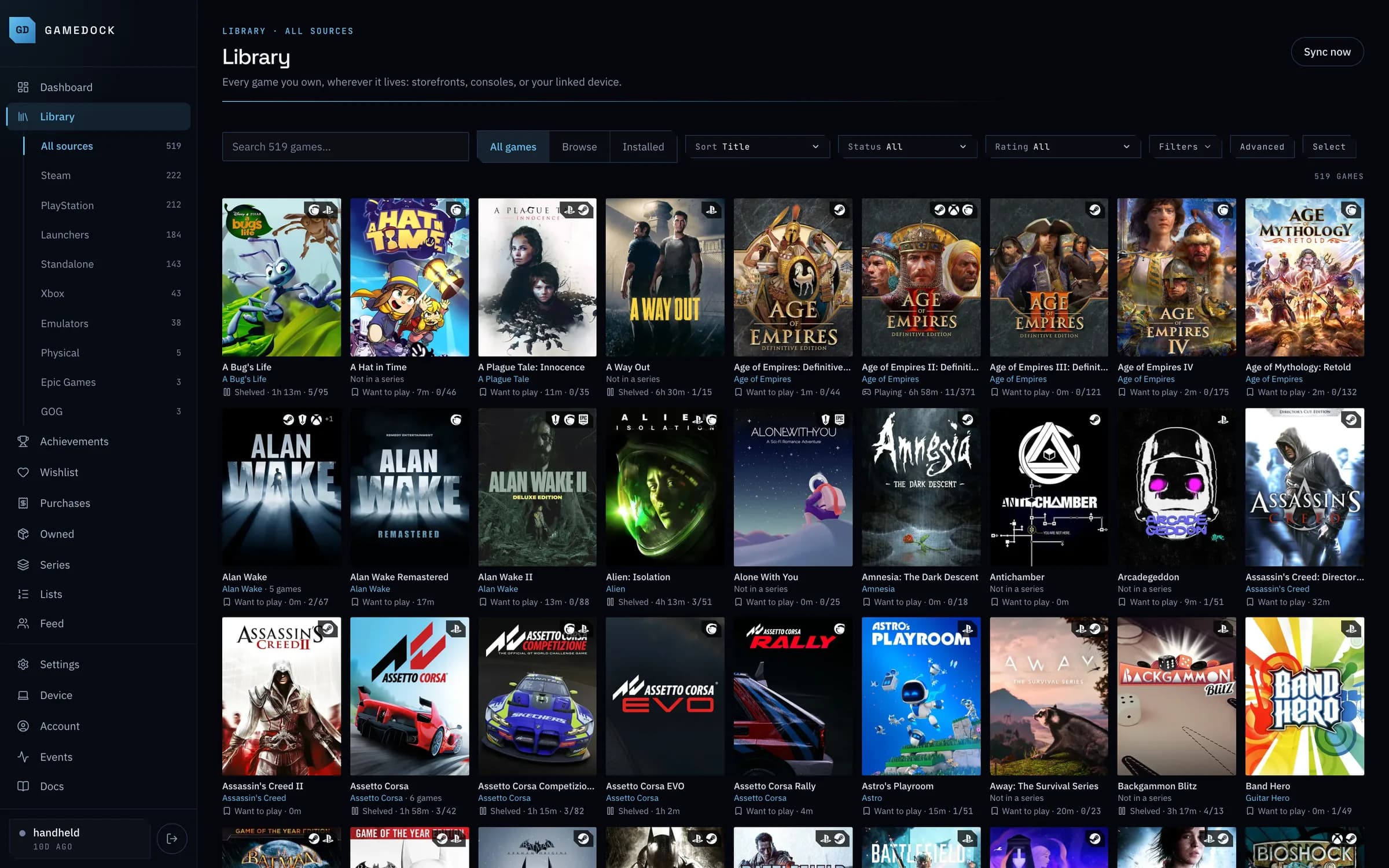
From a real GameDock library
- Games
- 519
- From 12 sources
- Played
- 796h 15m
- Across every platform
- Achievements
- 638
- Of 22,985 unlockable
- Want to play
- 431
- Not started yet
01
One entry per game.
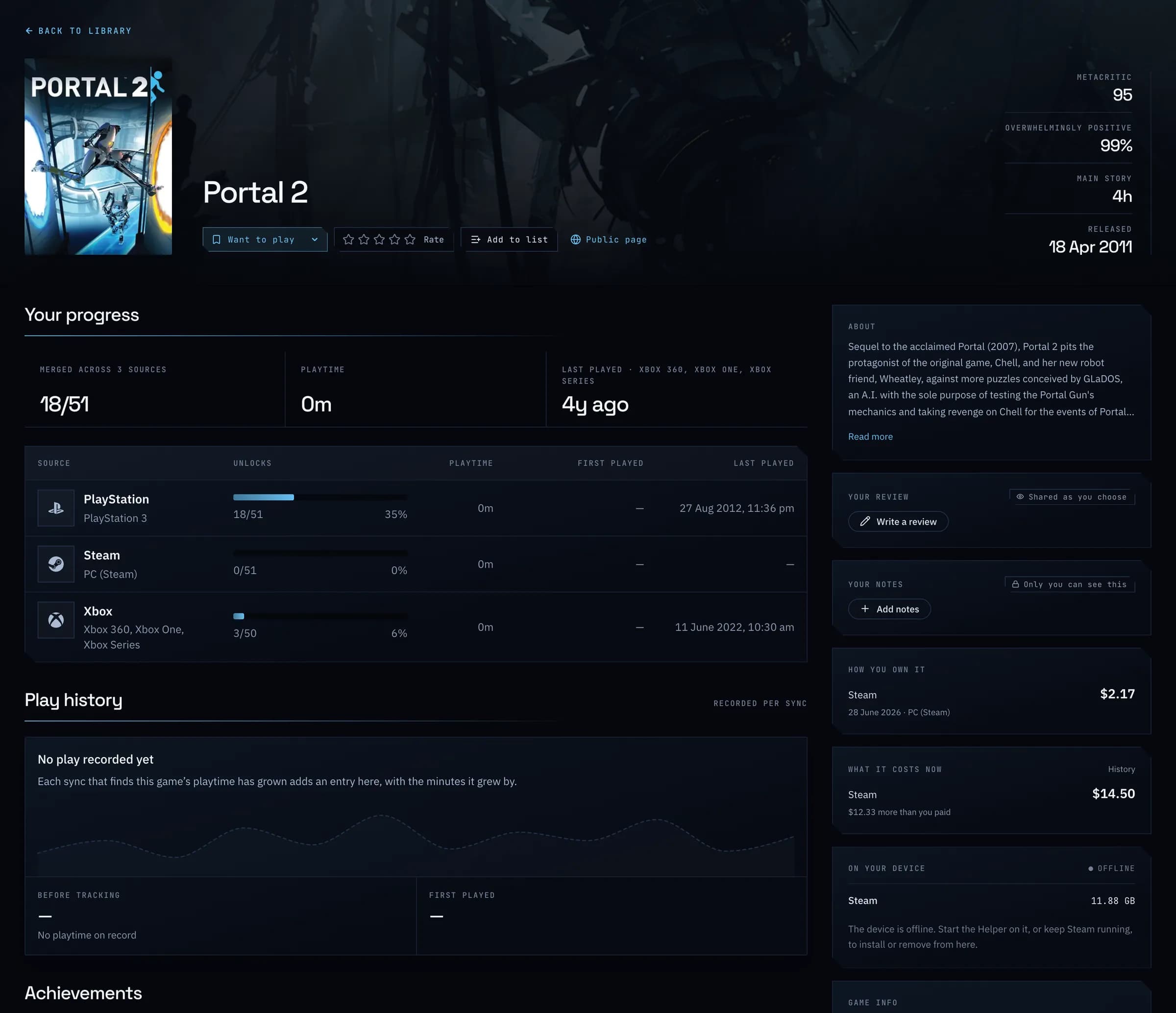
Own a game on Steam, PlayStation and Xbox? It shows once, with its playtime added up and its achievements merged, and each platform still listed on its page.
02
Emulator games count too.
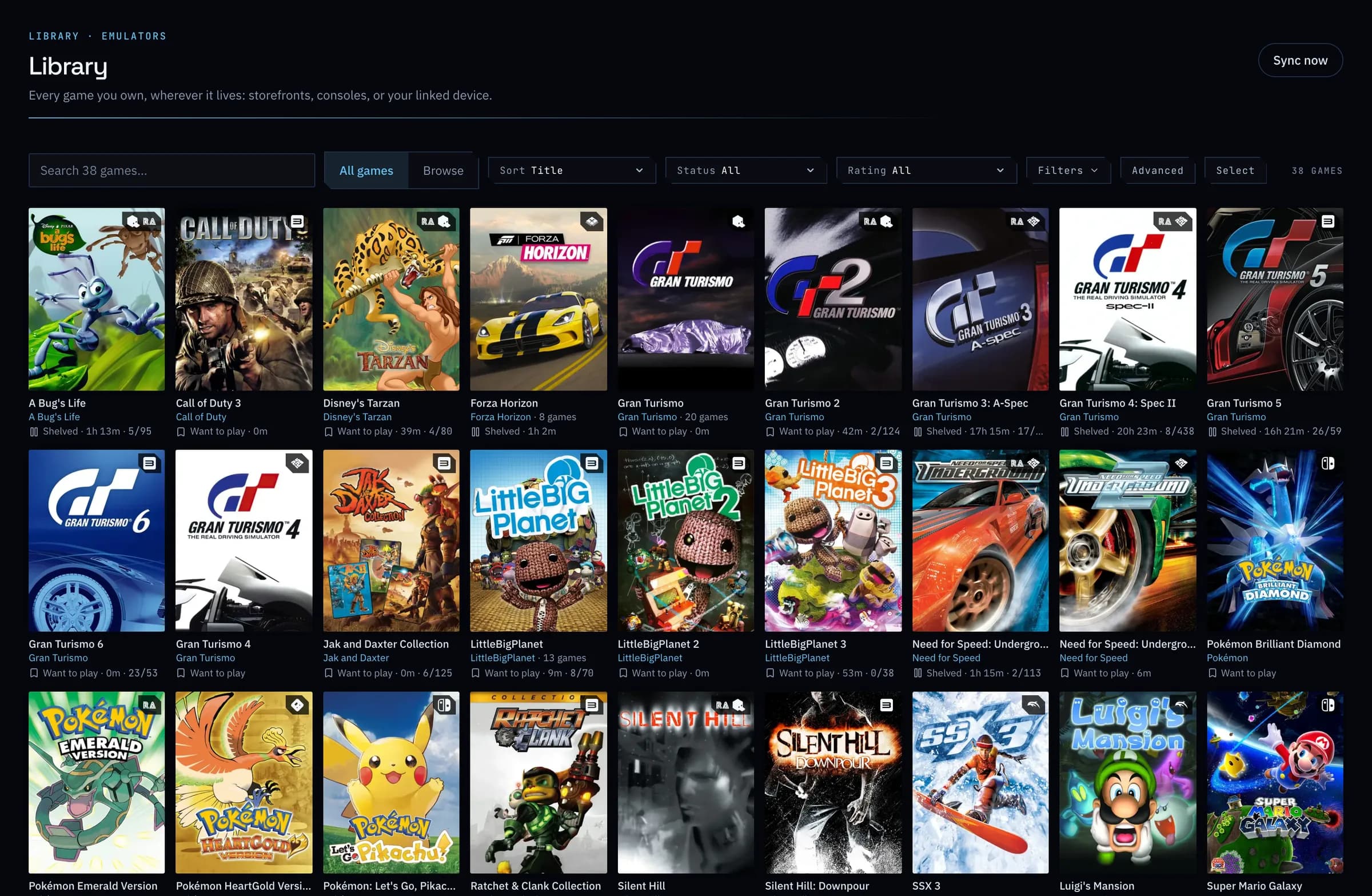
Games in RPCS3, PCSX2, DuckStation, Dolphin, Xenia, Cemu, PPSSPP and the Switch emulators sit in your library beside your store games, with RetroAchievements where they have them. GameDock Helper finds them on the PC you play on.
03
And the games outside a store.
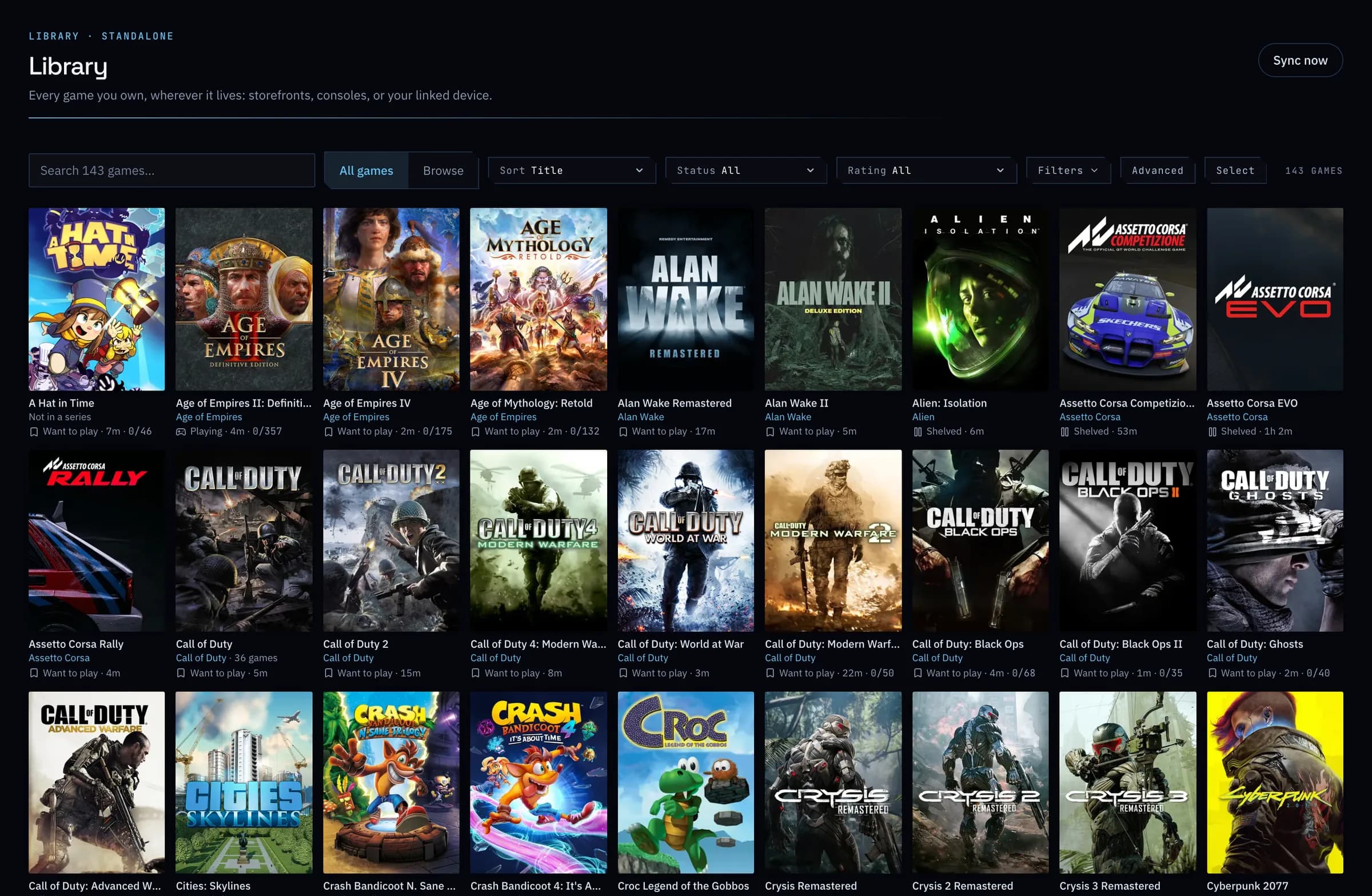
Lutris and Heroic games, and standalone PC games installed outside any launcher, join the same library, with achievements where the game keeps them.
04
In your pocket too.
GameDock is a website, so your library is on your phone, your laptop and your handheld, in any browser, with nothing to install.
Everything it does
Library, in full.
- One list for everything
- Your Steam, PlayStation, Xbox, GOG and Epic Games games, your RetroAchievements, your emulator, Lutris, Heroic and standalone PC games, and your physical media, together. Search by name, filter by store or platform, or show only what is installed right now.
- One entry per game
- A game you own on Steam and PlayStation shows once, with its playtime added up and its achievements merged. Remasters and remakes stay separate, because they are different games. If two entries should be one, join them yourself; if GameDock put a platform on the wrong game, detach it. Nothing is deleted either way.
- Everything about a game on one page
- Playtime on each platform, when you first and last played, achievements, a description and review scores, how long it takes to finish, how you own it and what you paid, and its price today with its history.
- Play status that keeps itself up to date
- Playing, Want to play, Beaten, Completed, Shelved or Abandoned. The first four are worked out from what you actually play; set any of the six yourself on a game it gets wrong, and clear it to hand it back.
- Ratings and private notes
- Give a game up to five stars in half steps, then sort and filter your library by them. Keep notes on any game, such as where you left off or what to try next. Only you ever see your notes.
- Lists of your own
- Make lists of your games, such as what to play next or a top ten, ranked or not, with a note on each. Add from a game's page or a whole selection at once, and drag them into order. Each list stays private until you choose to share it.
- Your own names and covers
- Rename a game, or choose a new cover from your own image or from SteamGridDB with your own free key. Only your library changes.
- Hide what you do not want to see
- Hide a game from your library and every total: counts, playtime, achievements and value. What you paid for it still counts. It stays under Hidden by you, one click from coming back.
Which stores and platforms are supported?
Steam, PlayStation, Xbox (Xbox 360 games included), GOG, Epic Games and RetroAchievements, all connected through GameDock Companion. You add your physical media, discs and cartridges, yourself, for any console. With GameDock Helper on the PC you play on (Linux today), GameDock also sees your games from Lutris and Heroic, and from the emulators RPCS3, Xenia, PCSX2, DuckStation, Dolphin, melonDS, Cemu, PPSSPP, Yuzu, Suyu, Eden and Ryujinx. Nintendo accounts are not supported.
Why do some of my games have no details?
GameDock fills in descriptions, release dates, time to beat and series from IGDB, a large games database, and matches almost every game by itself. When it cannot be sure which game something is, often a mod, homebrew or a game with an unusual store name, it leaves it unmatched rather than guess, and lists it under the rest of your library. Open it and tell GameDock which game it is, or that it is not on IGDB, and GameDock checks your answer. Until it does, you see the game you chose and nobody else does.
Can I rate games and keep notes on them?
Yes, on both plans. Give any game in your library up to five stars in half steps from its page, then sort and filter your library by your ratings. Each game also has a notes box for anything you want to remember, such as where you left off. Your notes are only ever shown to you: they are on the game's page and in your export, and never in the API or anywhere anyone else can see.
Can I make lists of games?
Yes, on both plans. Make as many lists as you like, such as what to play next or a top ten, ranked or not, with a note on each game. Add games from a game's page, from a selection in your library, or from the list itself, and drag them into order. Lists hold games from your library. Who can see them is up to your Lists setting in Account › Privacy, and anyone who can see a list can like it.
See it with your own library.
Connect a store, and this is filled in from your own games after the first sync.